Recruitment marketing automation: when it works, and when it doesn't
What is recruitment marketing automation, when does it fit your organisation, and what risks and opportunities come with it? Make the right choice here.
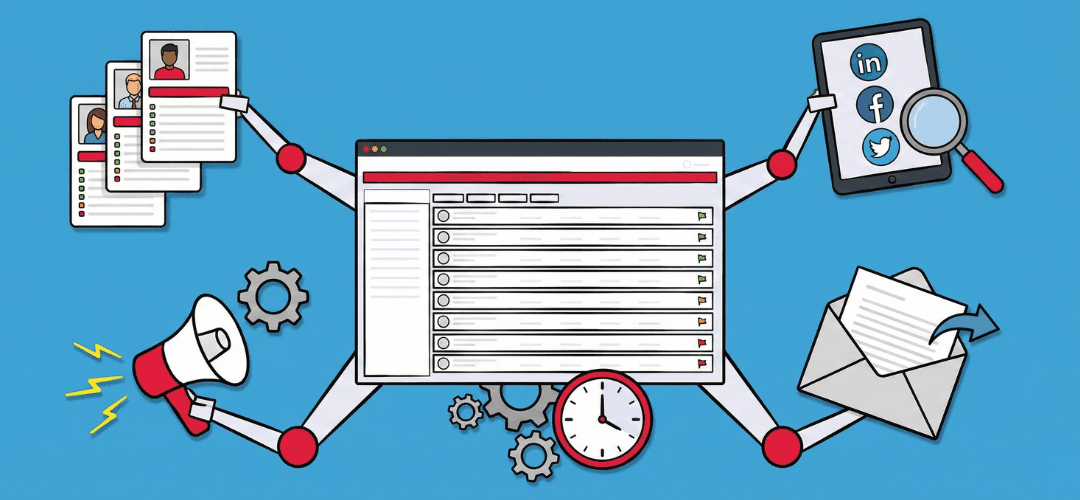
Automate talent pools, email drops and reminders. Applying marketing theory to recruitment cuts unnecessary manual sending.
Recruitment marketing automation fits your organisation if you have a lot of repeated hiring communication, a decent number of candidates in your database, and someone available to manage campaigns and content. It fits less well if you have few vacancies, your data is messy, or your employer story still isn't clear. In that case, automation creates extra work and extra risk instead of extra calm.
In this article, in plain language, you'll read what recruitment marketing automation actually means in practice, which forms you see most often, which problems it solves, where the risks sit, and what foundation you need in place first. That way you can judge for yourself whether now is the right moment to start.
- What recruitment marketing automation actually is, and what it doesn't do
- Concrete forms in practice, such as email flows, talent pools, social ads, chatbots and LinkedIn outreach
- When automation in recruitment genuinely helps, and when you're better off waiting
- The main risks around spam, GDPR, AI and LinkedIn tools
- A practical checklist to work out whether your organisation is automation-ready
What do we actually mean by recruitment marketing automation?
By recruitment marketing automation, we mean software and fixed workflows that run repeating marketing tasks in your hiring process automatically. It's about attracting, informing and keeping warm the people who might want to work for you, often long before they ever click Apply. Think of someone who signs up to your talent pool and then automatically receives relevant updates, without you writing a fresh email every single time.
What matters just as much is what this kind of automation in recruitment doesn't do. The software doesn't decide who you hire, and it doesn't replace an intake call, an interview or a salary negotiation. The technology mainly helps with structure, timing and repetition of messages. That way you avoid forgetting good candidates, or everyone getting a slightly different message when it's really the same type of contact moment.
There's a difference between broad recruitment automation and targeted one-to-one outreach. Broad automation is about campaigns to audiences via email, social media, ads and your careers site. You might send a monthly newsletter to every healthcare professional in your database, or a nurture flow to IT specialists who signed up recently. One-to-one outreach is about personal messages to specific people, for example via LinkedIn, where you tailor the content to the individual profile.
Plenty of marketing automation functions for hiring already live inside systems you already know. Think your ATS, a recruitment CRM, or a marketing automation platform your marketing team also uses for customers. On top of that, there are standalone recruitment marketing tools that connect with your careers site, your analytics and your email, so you can track and measure campaigns more accurately. The value only appears once you know your goals, which candidates you want to reach, and which information genuinely helps them decide.
Which forms of recruitment marketing automation do you see most often?
Recruitment marketing automation sounds big and technical fast, but in practice it comes down to recognisable forms that most teams already partly use. Below are the main types, with simple examples, so you can immediately see what this means for your day-to-day work.
Automated email sequences and nurturing
A widely used form of marketing automation for hiring is the automated email sequence. Someone signs up to your talent pool through your careers site, for example. That triggers a simple flow. First the candidate gets a confirmation email, then a short introduction to your organisation, then later an email with current vacancies or an article about working in the field. The messages go out at fixed moments, without you sending them manually each time.
This process is called nurturing. You help the candidate understand, step by step, what you offer as an employer and when a move might be worth considering. You set the sequence up once, then check the results regularly, such as open rates and clicks. Based on that, you adjust copy, subject lines and timing. This gives you structure and saves time, because you're not constantly writing the same kind of email from scratch.
Talent pools, talent communities and job alerts
A talent pool is a group of candidates who might want to work for you now or later, and who've given permission to stay informed. You might gather every experienced developer here, or every nurse with a particular specialism. A talent community goes a step further. There, you sometimes share extra content, such as events, webinars or career development tips. That builds a relationship that lasts longer than a single vacancy.
Job alerts fit neatly alongside this. Candidates choose which type of role, level and region interests them. They then automatically get an email or app notification when a matching vacancy goes live. An IT professional might get a monthly overview of new roles in Amsterdam and Utrecht, for example. It's convenient for the candidate, since they have less searching to do, and it gives you an extra moment to stay on their radar.
Social media campaigns and retargeting
Many recruitment teams use social media campaigns to bring more people to their vacancies or careers site. You might show a video about working at your organisation to a broad audience. Retargeting plays an important role within these campaigns. Someone visits your site and looks at a vacancy, but doesn't apply yet. Later, that person automatically sees an ad for the same or a similar role.
This works because the system follows rules you set up in advance. It shows ads based on earlier behaviour, so you reappear at a logical moment. You don't need to manually trigger these actions each time. Retargeting mainly helps turn hesitant visitors into candidates, because you're responding to interest they've already shown.
Chatbots and Q&A flows on your careers site
More and more organisations add a simple chatbot to their careers site. This bot can answer basic questions, such as how long the application process takes, whether part-time work is possible, or roughly what the salary is for a given role. You set up the questions and answers once. After that, the bot returns this information automatically to visitors, at any time of day.
The chatbot is handy during busy periods or outside working hours, since candidates still get an answer to frequently asked questions. For exceptions, doubt or genuinely personal questions, you still need a recruiter. A good setup makes sure the bot can easily point people to the right page or a contact form, so they can still reach a human being.
LinkedIn outreach as a separate channel
For many recruiters, LinkedIn is the single most important channel for daily outreach. Practically every recruiter sends connection requests, InMails and follow-up messages. All sorts of generic tools try to fully automate these messages, sending high volumes of connection requests and InMails without a recruiter ever really seeing each one. This looks efficient, but it carries a serious risk of spam, blocks and frustrated candidates.
A different approach works with a copilot. That's a digital assistant that suggests text and gives you structure, while you keep the final decision. The software might, for example, suggest a first InMail based on the candidate's profile. You read the suggestion, adjust the tone and content where needed, and send the message yourself. That keeps contact personal and keeps you in control of your own network. In our approach, we use our different modules for LinkedIn outreach built to fit into a recruiter's day-to-day work in exactly this way.
When recruitment marketing automation genuinely helps you as a recruiter
Recruitment marketing automation brings calm and structure when your organisation's situation actually fits it. Many teams have recurring patterns and volumes where automation becomes a logical tool. Looking honestly at your own practice tells you whether you fall into that category.
Typical situations where automation makes sense
Automation is especially worthwhile when you're dealing with a lot of repetition. Think of an agency with many IT vacancies that all look similar and come back every quarter. Or a corporate employer hiring dozens of account managers, nurses or operators every year in the same regions. A staffing agency with hundreds of professionals on assignment can also gain a lot from automatic updates about new projects, contract extensions and practical matters around deployment.
In situations like these, a steady stream of candidates and staff flows past you all year round. It's hard to keep everyone individually informed by hand. With fixed flows, you make sure every candidate gets at least a baseline level of clear, consistent communication. For agency recruiters with large talent pools, we've separately described how we help agency recruiters with outreach that's scalable but still personal, precisely because their challenges tend to be bigger than for smaller teams with fewer roles.
Problems this solves for you
Many recruitment teams run into the same problems. There's too little time for good follow-up, especially during busy periods with lots of new vacancies. Warm candidates who showed interest earlier drift out of view because nothing follows up. Communication gets scattered across different channels, such as email, phone and LinkedIn, so you lose the overview. One-off actions, like a single mailing to a list, don't achieve much because there's no logical next step.
With automated recruitment processes, you can build in fixed steps that trigger the moment someone signs up, replies, or doesn't reply. That makes baseline follow-up more reliable, and fewer people quietly fall out of your funnel. At the same time, you can measure more accurately which campaigns and channels actually deliver candidates, because every step and contact moment is logged in the same environment.
What automation actually delivers
Set it up well, and automation in recruitment delivers several concrete benefits. You get more structure, because you map out a clear candidate journey per audience, with steps such as sign-up, confirmation, first information, a check-in after a few weeks, and a periodic update. This brings calm to the team and makes it easier to onboard new colleagues, because the foundation is already there.
The timing of your messages improves too. The system can, for example, send a reminder if someone opens an email but doesn't click. Or an extra update if someone views a vacancy but doesn't apply. That gives candidates a small nudge in the right direction at logical moments, without a recruiter having to actively watch every single signal. On top of that, you gain scale, because you can send baseline information to far more people at once. The time this frees up can go into real conversations with your strongest or most critical profiles. In practice, automation ends up strengthening the human side of your work, because the standard tasks take less time.
Tip: Elvatix gets more out of every InMail credit. Higher response rates, lower cost per contact.
See how →When recruitment marketing automation is mostly hassle and risk
Automation isn't a goal in itself. There are plenty of situations where recruitment marketing automation creates more hassle, risk and cost than it's worth. That's why it's important to look honestly at your own context before you buy new software or start a complex rollout.
Signs you should hold off on automating
The first sign is volume. If you only have a handful of vacancies a year, or just the occasional hiring spike, a full-blown system is usually overkill. You end up spending more time setting up, testing and maintaining it than on plain personal contact with the few candidates you actually need.
A second sign is an unclear strategy. If you don't yet have a sharp picture of your audiences and your employer story, you don't know what message should go into your flows. Automation in recruitment mostly spreads noise in that case. You end up sending a lot of messages that don't closely match what candidates are looking for. A third sign is poor data quality. If your ATS or CRM is full of outdated records, duplicate profiles and unclear statuses, you're likely to approach the wrong people. In that case, the first step is cleaning up your data and improving your processes, not building new campaigns.
A lack of capacity is also a reason to wait. If nobody on the team has time to manage content and flows, campaigns stall fast. Automation needs upkeep. Without it, quality drops and the chance of mistakes grows. In very small talent pools with a handful of candidates, direct one-to-one communication is often a better fit than a fully automated journey.
Risks of too much, or too heavy-handed, automation
Automation that's too heavy-handed quickly feels like spam to candidates. They get too many, or too generic, messages that have little to do with their situation. Engagement drops, more people unsubscribe, and some candidates share their negative experience within their network. That damages your employer brand and makes it harder to re-engage the same audience later.
There are content risks too. If incorrect or inappropriate messages go out, say with the wrong name, the wrong language, or a role that doesn't remotely match someone's experience, that damages your credibility. On LinkedIn, there's an extra layer to this. Many fully automatic LinkedIn automation tools send messages at high volume and, according to public sources, sometimes operate in a way that stretches or breaches LinkedIn's terms of use. That can lead to warnings or account blocks, with a direct impact on your team's day-to-day work.
Legal and ethical points to watch
Within the EU, automation in recruitment brings you into contact with privacy rules such as GDPR. You need to be able to explain clearly what you use personal data for, and on what legal basis. Candidates need to be able to give consent for certain types of communication, such as newsletters or periodic updates, and they need an easy way to unsubscribe. You may not keep data longer than necessary for the purpose you collected it for. That calls for clear retention periods and solid agreements within your organisation.
Data minimisation matters too. Only collect the data you genuinely need for your purpose, such as name, contact details, role and region. Handle sensitive information, such as health or ethnicity, with real care, and avoid it where you can. That limits the impact if something does go wrong, such as a data breach. AI plays a role here as well. Under the EU's AI Act, AI used in recruitment is treated as a high-risk application. That means extra requirements apply around transparency, explainability and human oversight. You can absolutely use AI for preparation, suggestions and summaries, but it's unwise to hand decisions over to systems completely. Recruitment marketing automation is only healthy, then, if you stay alert to bias, data quality and fair treatment of candidates. Human oversight remains essential.
FAQ on risks and rules
How do you stop candidates experiencing your automation as spam?
You avoid a spam feeling by clearly choosing quality over volume. Only send messages that are genuinely relevant to the audience, adjust your tone to the candidate's level, and make clear from the first contact what someone can expect. Limit frequency, test subject lines and content, and always offer a simple way to unsubscribe. Ask for feedback regularly too, so you notice when the balance shifts.
What's the bare minimum you need in place around GDPR before automating?
Before you start automating, you need, at minimum, a clear privacy statement, a defined purpose for each type of campaign, an overview of retention periods, and a practical way for candidates to view or request deletion of their data. Your systems also need to record when someone gave consent, and for which types of communication that applies. If this is still missing, it's wise to set it up first.
Groundwork for starting safely with recruitment marketing automation
If you suspect recruitment marketing automation could fit your organisation, it's worth looking at a few groundwork points first. The better your foundation, the greater the chance automation genuinely delivers calm, scale and better results, instead of amplifying existing problems.
Get your content foundation right
Start with a clear employer story. Can you explain, in one paragraph, why people would want to work for your organisation and what sets you apart from comparable employers? That story is the thread running through your emails, vacancies and landing pages, so candidates get a recognisable picture. If that story sounds different per channel or per recruiter, the message gets fragmented, and automation works against you.
Also build simple profiles of your audiences. Describe who they are, what stage of their career they're in, what matters to them at work, what language they use, and which channels they're active on. This helps you tailor content more precisely. Make sure your vacancy copy is clear and realistic, and that the candidate experience is at least acceptable. Think a clear application form, reasonable turnaround times, and clear communication about the steps in the process. Automation amplifies what's already there, so a weak foundation is a real risk.
Data, technology and measurement
Check your candidate data in your ATS or CRM before you build flows. Is the data current, are contact details correct, and can you segment logically by role, region and experience? Without good segments, a nurse ends up in a campaign meant for developers, and the communication immediately feels impersonal. Also make decisions around retention periods and data minimisation. Record how long candidates stay in a talent pool once contact stops, and when you delete or anonymise profiles.
Set your baseline metrics before you start. Think open rates, click behaviour, replies, talent pool sign-ups and hires per campaign. Without these numbers, it's hard to judge later whether automation is genuinely adding value. Start with a few simple dashboards or reports, and only expand once you've learned your first lessons. That stops you drowning in reports nobody actually looks at.
Processes and ownership
Automation needs clear ownership. Someone on the team has to be responsible for content and flows. That person makes sure copy is accurate, matches the job market, and gets updated regularly. In smaller teams, the same person can also analyse results and make adjustments. In larger organisations, you can split the role between recruitment marketing and recruitment.
Also decide who keeps an eye on whether you're still operating within agreed privacy rules and candidate rights. Make sure everyone understands how unsubscribes and data deletion requests get handled. Finally, set simple KPIs per channel, such as number of replies, conversations booked, or hires. Keep these goals deliberately simple, so the team understands progress and automation doesn't drift away from day-to-day practice.
FAQ on getting started with automation
What's the bare minimum you need before you start with automation?
At minimum, you need a clear employer story, basic profiles of your key audiences, a cleaned-up candidate list with current contact details, a simple privacy policy with retention periods and consent, and someone on the team with time to manage and improve it. Miss these pieces, and it becomes hard to build good flows, and you run more risk of mistakes.
Do you always need a new marketing automation platform to get started?
Not always. Many ATS systems and recruitment CRMs already offer simple forms of automation, such as automatic confirmation emails, status updates and bulk mailing to talent pools. You can sometimes use an existing marketing automation platform from your marketing team too. It's smart to first look at what you already have, and only then judge whether extra tooling is genuinely needed.
How LinkedIn outreach fits into your broader recruitment automation approach
LinkedIn is the single most important daily channel for many recruiters, but it's only one part of the overall approach around applications and talent pools. Automation helps you align broad campaigns and personal outreach, so the different channels reinforce each other instead of running side by side unconnected.
Multichannel hiring with automation as the backbone
You can use email, social media, retargeting and your careers site as a broad foundation that reaches a lot of people. Through these channels, you grab attention, tell your organisation's story, and invite people to sign up or apply directly. Automation then makes sure this isn't a one-off action, but a continuous thread with recognisable steps.
You use LinkedIn outreach for the more targeted conversations at the top of the funnel. You might find fifty suitable profiles for a scarce role and send them a personal message. In the background, automation gives you rhythm, reuse of strong copy, and insight into which message variants perform well. LinkedIn is, at the same time, the channel where you add nuance, since you can respond per person to specific experience, skills and ambitions.
The difference between fully automatic outreach and a copilot in LinkedIn
With fully automatic tools, outreach mostly happens outside LinkedIn's official environment. Messages go out automatically based on long lists, with no manual check per message. This looks efficient, but it raises the risk of spam, mistaken messages and breaches of platform rules. Candidates often experience these messages as impersonal, and recruiters risk restrictions or blocks on their account.
A copilot works differently. In our approach, the tool acts as an assistant inside LinkedIn Recruiter or Recruiter Lite. The copilot suggests InMails and connection requests based on profile signals, such as experience, skills or recent activity. The recruiter reads every suggestion, adjusts the text where needed, and sends the message themselves. That keeps the tone personal, and keeps you within LinkedIn's limits and unwritten rules. If you want to see what this looks like in practice, in modules, you can explore our light integration with LinkedIn.
Automation as an assistant, not a replacement
This copilot approach fits a broader trend, where organisations mainly use automation for preparation, suggestions and structure. The quality of conversations and decisions deliberately stays with people. This helps keep scale and human contact in better balance. Especially in a tight job market, candidates value a personal approach and a recognisable tone far more than yet another generic message from an automated funnel.
You can see a concrete example of this in the Vibe Group case study. It shows clearly how a team with many vacancies brought more structure to LinkedIn outreach, while keeping communication human and recognisable. Automation genuinely acted as an assistant there. The system helped prepare messages and set the rhythm, while recruiters themselves stayed in control of content and timing.
Check: is your organisation ready for recruitment marketing automation?
Whether recruitment marketing automation fits you depends heavily on your situation. Below are questions to help you judge that honestly. The more often you answer no, the wiser it is to invest in your foundation first, before taking steps towards automation in recruitment.
- Do we structurally have more vacancies per year in similar profiles, so reusable flows make sense.
- Do we regularly forget follow-ups with interesting candidates, and does it take a lot of time to keep track of everything.
- Do we have a reasonably well-filled ATS or CRM, with current, usable contact details and clear statuses.
- Can we come up with at least three useful emails or updates we'd want to use more often, such as a welcome email, a monthly talent pool update, or a reminder about open applications.
- Does someone on the team know which channels deliver the most candidates and hires, and are those numbers actually tracked.
- Have we thought through consent, retention periods and simple ways to unsubscribe, and are those agreements actually documented.
- Is there someone who can make time to manage and improve flows, content and measurement.
If you answer yes to most of these, there's a good chance your organisation is ready for a first form of automation. Start small, with one audience and a few clear steps, so you build experience without major risk. If you mostly answered no, it's smarter to first work on employer branding, data quality and process. Automation amplifies what's already there, strengths and weaknesses alike.
Next step: talk through LinkedIn outreach and automation as a copilot
In this article, you've seen that recruitment marketing automation is all about structure, scale and timing in your hiring communication. It helps you attract, inform and keep candidates warm, but it doesn't replace human contact or a real conversation. The technology is a tool that works well once your employer story, your data and your processes are at an acceptable level.
LinkedIn outreach is an important part of this bigger picture. A copilot can help you here with suggestions and structure, while you decide yourself what you send and when. That gives you room to use automation smartly while staying personal in your tone and timing. The balance between human and system ultimately shapes how candidates experience your organisation.
Every organisation is different. So there's no standard yes or no answer to whether you should automate. The check questions in this article help you work out where you stand and what the logical first step is. If you'd like to talk through your situation and the role of a copilot in LinkedIn, feel free to have that conversation, and feel free to get in touch with us. Together, you can explore what fits your type of organisation, volume and way of working.
Write a personal message right here
Enter a name or LinkedIn URL and get a personalised message within 30 seconds. No account needed.
Tighten up your follow-ups with marketing?
Use the cadence tools in Elvatix to apply automation principles to specific individuals.