Boolean search on LinkedIn: strings that work
Boolean search on LinkedIn lets you search precisely with AND, OR, NOT and filters. Get practical search strings recruiters use to find better matches, fast.
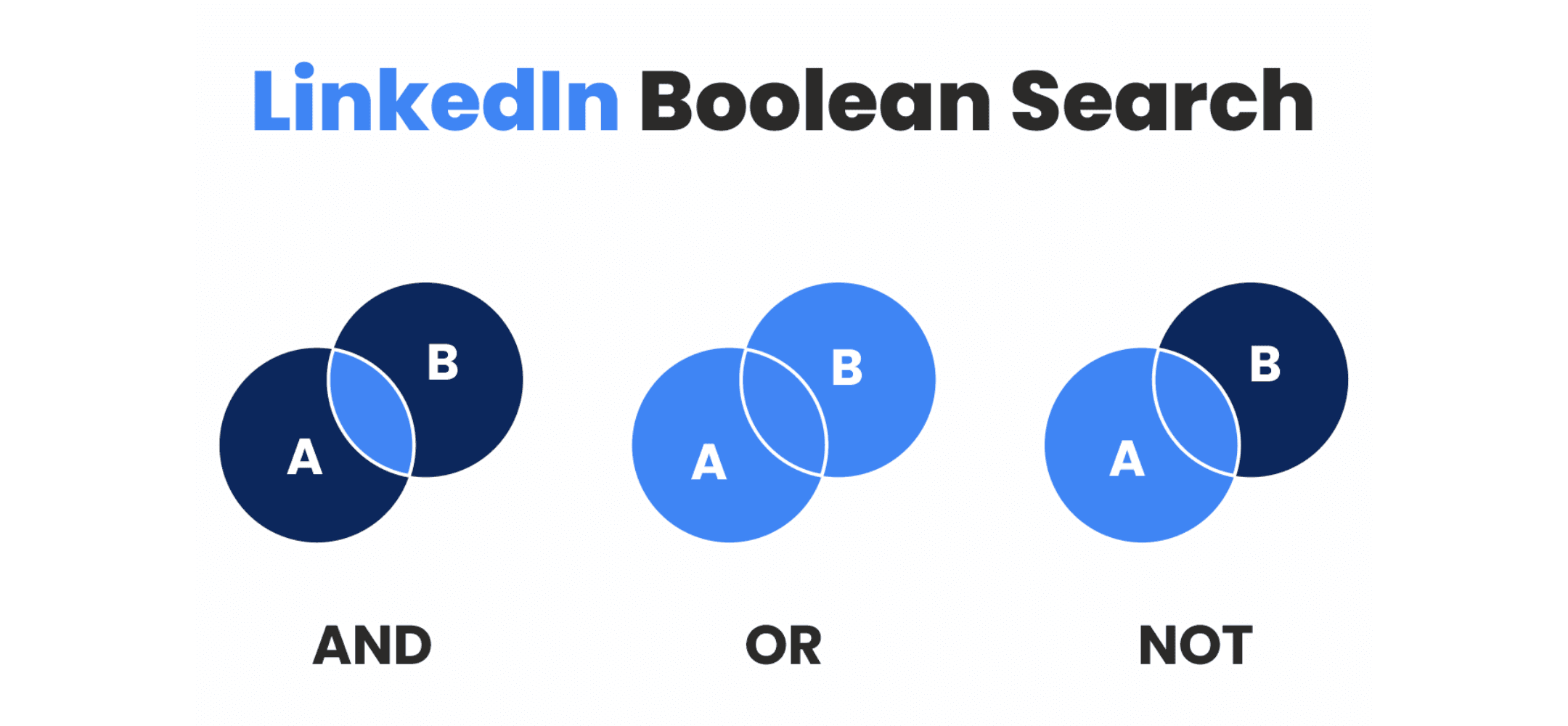
Mastering Boolean search is a superpower. Use NOT operators to actively weed unwanted noise out of your list, saving you views.
Boolean search on LinkedIn is a way to search more precisely using logical operators such as AND, OR and NOT. You combine keywords, exclude terms, and use brackets and quotation marks to control order and meaning. The result is fewer irrelevant profiles. For recruiters in particular, this is a fast way to find the right candidates. In this article, you'll learn how to search effectively, which mistakes to avoid, and how boolean search works alongside filters in LinkedIn Recruiter.
- Use AND, OR and NOT to refine your search results and exclude irrelevant profiles.
- Use quotation marks and brackets to structure exact phrases and groups of words.
- Combine boolean search with Recruiter filters for better matches on role, location and language.
- Test your search string step by step, validating results as you go.
- Document string variants across your team to build a shared way of working.
What is boolean search on LinkedIn, and why do recruiters use it?
Boolean search on LinkedIn lets you logically combine multiple keywords. You give your search structure by using words such as AND, OR and NOT, which makes your query more specific and helps you avoid unnecessary results. This is especially useful for roles with clear requirements.
Recruiters use boolean operators on LinkedIn to track down profiles with precision. Rather than working manually through broad lists, boolean logic helps you reach the right person faster. This is particularly powerful when combined with filters for job title, location and language in LinkedIn Recruiter.
How do AND, OR and NOT work in your LinkedIn searches?
The three key boolean operators on LinkedIn are:
- AND: both terms must appear. Example:
recruiter AND London - OR: at least one of the terms must be present. Example:
("staff nurse" OR "registered nurse") - NOT: excludes a word from your search. Example:
developer NOT junior
This AND/OR/NOT logic works in both the standard LinkedIn search bar and in LinkedIn Recruiter boolean searches. Within Recruiter, you can combine boolean search with additional filters, so your query lines up even more precisely with the role or profile you're looking for.
Quotation marks and brackets: controlling word groups and logic
Quotation marks and brackets help LinkedIn understand your intent more accurately. They play a key role in talent sourcing with boolean search.
- Wrap quotation marks around compound titles or terms. Example:
"account manager". Without quotes, LinkedIn searches on each word separately. - Use brackets to create logical groups. Example:
("java developer" OR "java engineer" OR "backend developer java") AND ("spring boot" OR spring)
This combination helps you keep the order and structure of your search string clear, which directly improves the accuracy of your results.
Tip: Elvatix gets more out of every InMail credit. Higher response rates, lower cost per contact.
See how →Excluding terms: how NOT helps, and where to be careful
The NOT operator is handy for filtering out irrelevant profiles. If you're not looking for junior candidates, for example, you could write:
("software engineer" OR developer) NOT junior
Still, care is needed. An experienced candidate might still have an old junior job title sitting on their profile. That's why it's better to combine boolean search with the "current job title" filter in LinkedIn Recruiter. That way you only exclude people who are currently "junior", and you avoid missing strong profiles.
Improving LinkedIn boolean search with filters in Recruiter
LinkedIn Recruiter offers extra filters for things like location, language or current role. Combining boolean search with these filters lets you work more specifically and avoid unintended matches. This helps with roles that carry exact requirements.
A few filters that improve your results:
- Current job title: stops you searching within old roles that are no longer relevant.
- Location and language: prevents mismatches caused by distance, visa requirements or language barriers.
Combining boolean logic with these filters delivers a focused, reliable result. Read more about combining LinkedIn workflows with filters.
Search strings for recruiters: working examples and practical structure
A strong search string starts with a good selection of synonyms for the same role. This helps you cover variations in job titles. Here are a few example search strings for recruiters by sector:
- IT:
("java developer" OR "java engineer" OR "backend java developer") AND spring - Healthcare:
("registered nurse" OR nurse OR "healthcare professional") AND hospital - Finance:
("financial controller" OR "finance specialist") AND accountancy
Use structures like these as your starting point. From there, expand them with exclusions or seniority levels, depending on the role.
Handling seniority, titles and keyword stacking smartly
You can factor in seniority levels, such as "senior" or "lead", within your boolean search. This gives you control over which experience level you're targeting. Just remember to exclude terms like "junior" where needed.
Example:
("lead developer" OR senior OR "mid-level") NOT junior
Even so, terms like these aren't always unambiguous. Profiles sometimes contain contradictory information. Someone might be labelled "senior" but still have "junior experience" written somewhere in the text. That's why it's important to test your search string rather than relying purely on keywords. Combine boolean keywords with filters such as "current role", so your boolean talent sourcing strategy genuinely holds up.
Testing your search logic: how do you check your boolean string is working?
Test your LinkedIn boolean search in stages:
- Start with a simple string and test it.
- Manually review the first 15 to 20 profiles.
- Check what each component (AND, OR, NOT) is actually adding, or not.
- Adjust terms or grouping based on your test results.
- Evaluate whether the string surfaces candidates who genuinely fit.
This approach helps you catch mistakes such as keyword stacking or incorrect use of brackets. It makes boolean search reliable for repeated use on similar roles.
Boolean search in teams: making strings shareable and documenting them
If you work in a team, it's worth recording search strings for reuse. That way colleagues don't start from scratch on every new assignment. Save string variants by role or sector in a shared document, and test each other's versions.
Take a look at our example instructions for teams for documenting string variations. This strengthens collaboration and helps you improve each other's way of working, step by step.
From good search to better outreach: match your approach to quality
The goal of boolean search on LinkedIn isn't just finding good candidates, it's also making contact more intelligently. Many recruiters message straight away, but it's better to check the quality of your search results first.
Take a look at this case study on better outreach after search optimisation. You'll read how a recruitment team validated its hits first and only then reached out to candidates. The result: fewer rejections and faster results.
A practical checklist for a working boolean search on LinkedIn
- Have you used quotation marks for word combinations?
- Do all your brackets open and close correctly?
- Have you included enough job titles and synonyms?
- Are your exclusions logical and not overly strict?
- Have you applied location and language filters when boolean-searching in LinkedIn Recruiter?
- Have you manually checked the first search results for usefulness?
Elvatix helps you after the search phase with consistent outreach
A successful LinkedIn boolean search produces a strong shortlist. But the real result comes from good follow-up. We help recruitment agencies send messages that match the tone and timing of their audience, without doing everything by hand.
Read how Elvatix helps agency teams after the search phase, and stop careful searching going to waste on generic outreach.
Frequently asked questions about boolean search on LinkedIn
How do I use brackets and quotation marks in a LinkedIn search?
Brackets group separate parts of your query together, quotation marks make sure multiple words are searched as an exact phrase. Both improve the accuracy of your search.
Is boolean search only available in LinkedIn Recruiter?
No, it also works in the standard LinkedIn search bar. In Recruiter, you simply get more filters and options to combine with boolean logic.
What if my string returns too many or too few results?
Adjust one element at a time and test which change improves the number or relevance of results. Start with your AND and OR constructions.
How do I know if I'm excluding relevant profiles with NOT?
Check whether the words you're excluding might also appear on strong candidates' profiles. Then use filters such as "current title" to fine-tune without losing genuinely good matches.
Can we reuse boolean templates across a team?
Yes. Record string variants centrally and build a separate block per role or sector in a shared document. That way knowledge stays in one place and your team works more consistently.
Got a specific string challenge, or want to sharpen your search variants? Share your question or your approach. We're happy to think it through with you.
Write a personal message right here
Enter a name or LinkedIn URL and get a personalised message within 30 seconds. No account needed.
Building the tight Boolean string?
Once your target audience flows out of the clean query filter, Elvatix writes the intros at scale, precisely targeted.