Boolean search examples for recruiters: 12 strings by field on LinkedIn
Boolean search examples for LinkedIn: 12 practical search strings for healthcare, IT, finance and sales, with explanations, mistakes and smart alternatives.

Efficient searching on LinkedIn requires compact boolean strings with correct capitalisation to avoid noise and find relevant title variants.
Boolean search examples help recruiters find good candidates on LinkedIn faster. You use logical search terms such as AND, OR and NOT to combine job titles, skills and exclusions cleverly. That gives you less noise, lets you turn a vacancy into a usable search query faster, and helps you spot when a simpler alternative makes more sense.
In this article you'll get twelve ready-to-copy search strings for healthcare, IT, finance and sales. You'll also read how to approach building a boolean search string, which mistakes come up most often, and why short tests usually work better than one long search line.
- Start with a short base string and only add extra requirements afterwards.
- Always use AND, OR and NOT in capitals, because LinkedIn otherwise won't read them correctly.
- Add synonyms and title variants, because candidates often describe themselves differently to how the vacancy is worded.
- Only use NOT for obvious noise, otherwise you'll quickly miss good candidates.
- Choose an alternative to boolean search if the vacancy involves a lot of nuance, exceptions or soft criteria.
Why recruiters search for boolean search examples on LinkedIn
Most recruiters want to get from vacancy to shortlist quickly. In practice, that often takes more time than it should, because a first search query turns out too broad or too narrow. That's why people look for boolean search examples that are immediately usable, and that you can adapt to your own vacancy without much theory.
The value of good boolean search examples for LinkedIn lies mainly in the speed and structure they offer. You see straight away how boolean operators on LinkedIn work in a real search query. That helps enormously for healthcare profiles, technical roles and commercial roles, since job titles on LinkedIn are rarely neat or fully identical.
If you want to search for candidates smartly with boolean, it pays to start small. A compact search query shows faster which title variant works and which skill is too restrictive. That's why short examples are often more useful than one complicated mega-string.
A short explanation of boolean search for recruiters
What boolean search on LinkedIn actually does
This explanation of boolean search is simple: you use logic to combine words cleverly. You search, for example, by job title, skill or sector, and then exclude clear mismatches. That makes your search more targeted, and you keep more control over the results.
Which operators LinkedIn supports
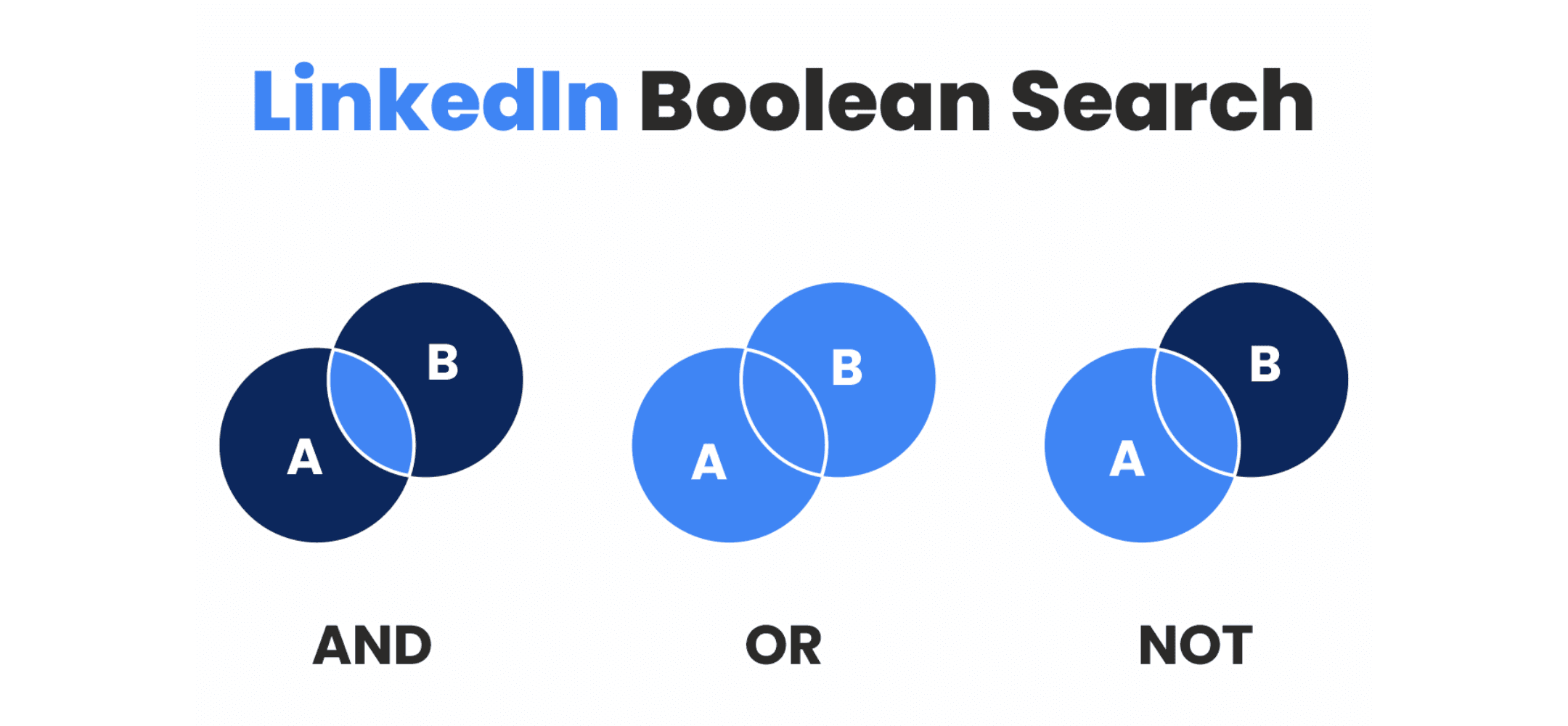
LinkedIn works primarily with AND, OR and NOT. These are the boolean operators used most often in recruitment. AND narrows your search, OR adds variants, and NOT excludes terms that mainly create noise. These are the key boolean operators on LinkedIn for recruiters who want to find relevant profiles faster.
Why capital letters matter
Always write AND, OR and NOT in capital letters. If you don't, LinkedIn sometimes reads these words as plain text. That sounds like a small detail, but it has a direct effect on your results. Forgetting the capitals is one of the most common mistakes in almost every search string a LinkedIn recruiter uses.
What quotation marks and brackets do
Quotation marks are for a fixed phrase, such as "intensive care" or "sales executive". Brackets are for grouping variants, for example with multiple job titles or combinations of skills. This keeps the logic of your search clear, and makes it easier to test later.
What you're better off not using
Plus signs, minus signs and wildcards aren't a reliable substitute for the standard operators on LinkedIn. So just stick to AND, OR, NOT, quotation marks and brackets. That's clearer, and usually delivers more predictable results.
How to use boolean search examples without your query getting too big
Step 1: pull the core out of the vacancy
Start with the elements that really give direction, such as the job title, one important skill, and possibly the sector. Don't copy every requirement from the vacancy straight away. If you want to build a workable boolean search string, you first need to decide what's truly needed for a good first selection.
Step 2: add synonyms and title variants
Candidates often use different words to the ones in the job description. A backend developer sometimes calls themselves a software engineer, and a district nurse sometimes just puts 'nurse' as their title. So add logical variants, but keep it compact. A list of alternatives that's too long quickly makes your string messy.
Step 3: only exclude clear mismatches
NOT works well when you want to remove obvious noise, such as 'intern' for a senior role or 'retail' for a SaaS vacancy. Don't make this exclusion too broad, or you'll quickly lose usable candidates. A short exclusion list is therefore better than a long list of borderline cases.
Why your string doesn't need to cover the whole vacancy
A search string isn't a summary of the job description. The goal is simply to make a first selection. After that, you look manually at the context, work experience and ultimate fit. That's exactly why boolean search examples work better as a starting point than as a full tick-box list.
Why too many requirements shrink your talent pool
If you cram the job title, location, education, skills, sector and seniority into one search line all at once, you often end up with too few candidates. So start with a base. See what the results look like, then add one extra requirement at a time. That way you learn faster what works, and you avoid ruling out a good candidate too early.
Write a personal message right here
Enter a name or LinkedIn URL and get a personalised message within 30 seconds. No account needed.
Boolean search examples for healthcare
General nurse
Search string: (nurse OR "district nurse") AND (NHS OR hospital)
- Adjust the job title if you're searching for a specific qualification level or community nursing.
- Replace the context with home care, elderly care or hospital if that fits the vacancy better.
- Test the region with a separate filter instead, so your reach stays wider at the start.
ICU nurse
Search string: ("ICU nurse" OR "intensive care nurse") AND (ICU OR "intensive care")
- Include different spellings of the specialism, since not every profile is worded the same way.
- Add location or seniority later, so you first see how broad your base is.
- Only add extra certifications if the first results turn out too broad.
Mental health nurse
Search string: ("mental health nurse" OR "psychiatric nurse") AND (mental health OR psychiatry)
- Adjust the context to the institution, target group or treatment setting.
- Check whether candidates also use shorter or alternative phrasing.
- Only add professional registration or the region if your results otherwise stay too broad.
Boolean search examples for IT
Backend developer with Java or Kotlin
Search string: ("backend developer" OR "backend engineer") AND (Java OR Kotlin) NOT intern
- Replace the programming language with the tech stack from the vacancy if needed.
- Avoid putting seniority and location directly in the same search line.
- Keep your exclusions short, since boolean search for IT quickly becomes too narrow with too many extra requirements.
Software developer with C# or .NET and Azure
Search string: ("software developer" OR "software engineer") AND (C# OR .NET) AND Azure
- Replace Azure with the cloud environment or toolset actually required.
- Test tools such as Docker or Kubernetes in a separate search instead.
- Don't add everything at once, or you risk missing good developers.
Data engineer or analytics engineer
Search string: ("data engineer" OR "analytics engineer") AND (Python OR SQL) NOT recruiter
- Watch the difference between broad and narrow data titles; teams often use these terms differently.
- Only exclude terms that genuinely create noise.
- Add sector or seniority at a later stage, so you can properly assess the base first.
Boolean search examples for finance
Controller with ERP context
Search string: ("business controller" OR "financial controller") AND (SAP OR Oracle)
- Change the system if the vacancy calls for a different ERP package.
- Test sector and region separately from your first search, if possible.
- With boolean search for finance, the system itself often already gives enough direction for a relevant search.
Accountant with an audit focus
Search string: (accountant OR "chartered accountant" OR ACA) AND audit
- Include title variants and professional registrations if relevant to the role.
- Use 'audit' purely as a direction, not as the full job description.
- Consider whether you also want to include international finance profiles in your search.
Finance manager in a scale-up or manufacturing environment
Search string: ("finance manager" OR "head of finance") AND ("scale up" OR manufacturing)
- Adjust the sector context to the actual working environment of the vacancy.
- Check both regional and international title variants if you want to search a bit wider.
- Test terms like management level and 'head of finance' separately if you're unsure about the seniority you need.
Boolean search examples for sales
Account manager or sales executive in SaaS
Search string: ("account manager" OR "sales executive") AND SaaS NOT retail
- Change the market or sector if you're searching specifically in software, media or services.
- Be careful with NOT, or you'll quickly filter out too many profiles.
- This approach to boolean search in sales works especially well as a compact base string.
SDR or BDR in B2B
Search string: (SDR OR "sales development representative" OR BDR) AND B2B
- Include both the abbreviations and the terms spelled out in full.
- Add the deal type or market later, once your first results turn out too broad.
- Test per vacancy which title variant appears most often on LinkedIn.
Sales manager or commercial manager in software
Search string: ("sales manager" OR "commercial manager" OR "sales director") AND (software OR technology)
- Adjust the seniority level and sector to the role you actually want to fill.
- Test director level separately from management level to get a clearer picture.
- Check alternative title variants too, since commercial roles often have creative names.
What searching on LinkedIn with these examples doesn't solve
Creative job titles remain tricky
Even with a logically built search query, you can still miss good candidates. On LinkedIn, people sometimes use creative titles, old job names, or only mention their specialism. That's why it's smarter to test several short variants rather than relying on one long search line.
Real seniority can't be read from one string
Terms like senior, mid-level and lead don't mean the same thing everywhere. A search query recognises words, but doesn't automatically understand how much relevant work experience someone actually has. That makes manual checking essential, even when your string is put together perfectly.
Work context and commute need a human judgement
A search string says relatively little about commute time, motivation, reasons for a move, or the specific working environment someone would fit well into. That's why boolean search is, and remains, mainly a handy tool for pre-selection. The substantive assessment always follows afterwards.
Several short tests often work better
In practice, we see that short search variants often give more insight. You discover much faster whether the job title, the specific skill, or the exclusion is what makes the difference. This lets you fine-tune more sharply, and stops an overly complex search line from unnecessarily excluding candidates.
Searching in LinkedIn, Recruiter and Sales Navigator
The regular LinkedIn search bar as a starting point
The standard search bar is often a fine tool for a first, broad test. You quickly see whether your chosen title variants and skills make sense. That's especially handy if you're still learning how a good search string helps a LinkedIn recruiter during the first phase of sourcing.
Filters differ by account
Not every account shows exactly the same filters. As a result, the same search can turn out slightly differently for different users. Keep that in mind when comparing results with colleagues, or reusing someone else's search line.
Recruiter offers more room for candidate filters
LinkedIn Recruiter is specifically built for recruitment and offers extra options for refining your candidate list. Although the basic logic of your search string stays the same, this environment makes targeted testing a lot easier. This especially helps with vacancies that have a lot of variation in titles and required experience.
Sales Navigator works from a different goal
Sales Navigator is primarily built for commercial prospecting. The filters in this environment therefore fit recruitment less well. You can sometimes still use the platform, but its setup remains fundamentally different from a candidate search.
The same string doesn't work the same everywhere
Even if the words stay the same, the filters and context help determine how your results turn out. So always retest your search for each specific environment. Never simply assume that one search query works identically in regular LinkedIn, Recruiter and Sales Navigator.
Common mistakes in boolean search on LinkedIn
Misplaced brackets
Brackets determine how LinkedIn reads the logic of your search. As soon as you group things incorrectly, the entire meaning of your string changes. So always check in advance that your synonyms and context words are grouped correctly together.
Using too few synonyms
If you only use one job title, you often miss a lot of people. This happens quickly in IT, sales and finance, because candidates describe themselves in all kinds of ways. So always add the most logical variants, while keeping the list manageable.
Writing operators in lower case
Terms like and, or and not aren't always recognised as operators by the system. So always use capital letters. It's a simple mistake, but one that has a particularly big impact on your final result.
An exclusion list that's too long
An extensive NOT list might feel safe, but it often makes your search far too strict. You can end up excluding suitable candidates who simply have one unwanted word somewhere on their profile. So always limit exclusions to obvious noise.
Setting too many requirements at once
Many recruiters try to build the perfect string in one go. That looks efficient, but often backfires in practice. It's better to test step by step; that way you see much faster which change actually delivers results.
When an alternative to boolean search makes more sense
Boolean search works very well for clear job titles, fixed skills and obvious exclusions. It's less handy, though, when a vacancy needs a lot of context, when requirements depend heavily on the situation, or when you want to adjust quickly without constantly building a new string. In such cases, AI sourcing without boolean strings can be a more logical choice, since you can then simply search in natural language and check a handy scorecard per candidate.
Searching in plain language is especially helpful when your vacancy has some nuance to it. Think of specific sector experience, the logic behind a particular career move, or a combination of hard requirements and soft preferences. Building manually with operators quickly becomes cumbersome then, even when the basis of your string is technically correct.
From shortlist to outreach and follow-up
The search itself is often only the first part of the work. After that comes approaching candidates, following up on replies, and tracking progress accurately. Teams with a lot of vacancies especially lose time unnecessarily here, because every shortlist demands a fresh round of actions. For agencies and specialist teams who want to organise this process better and more efficiently, AI for recruitment agencies is a very logical next step.
In practice, we often see that the step from shortlist to that crucial first message stays stuck on the to-do list. That costs a lot of momentum. In the Manpower case study on personal InMails, you can see how that specific problem was tackled in one situation. It cites an impressive 43% response rate. Keep in mind that this is case-specific context, not a general promise.
Testing for yourself what works better than building strings manually
If you want to work out which approach fits your team best, it's worth putting manual search, generic AI and specialised software side by side. You can take a look at comparing manual search, ChatGPT and Elvatix for that. That way you can judge much better when manual strings are enough, and when a different, more modern approach gives you more grip.
Want to experience for yourself how searching in plain language compares to the classic operators? Then you can of course also try AI sourcing, to see straight away what best fits your vacancies, team and pace.
Frequently asked questions about boolean search for recruiters
What's a good first boolean string for LinkedIn?
A good first string usually contains a job title, one important skill and possibly a small exclusion. Start compact. Then see what results you get, and only add extra requirements when it's genuinely necessary.
How many synonyms should I add?
Only use variants that come up often and are genuinely relevant to the specific role. With too few synonyms, your search becomes too narrow. Too many variants, on the other hand, make the string unclear and harder to test.
Should I put location directly in my search string?
In the first step, that's usually not wise. It's often smarter to test location as a separate filter first. That way you first see whether your chosen job titles and skills are right, keeping your base reach much wider.
Why do I still get a lot of noise with a logical search?
LinkedIn profiles are often incomplete, or filled in very creatively by the user. People use different job titles, leave old roles on their profile, or describe their skills in a different way. That's why testing always stays necessary, even when you apply the operators perfectly correctly.
When do I stop using boolean search and choose a different approach?
You're better off switching to a different approach when your vacancy involves a lot of nuance, when you keep needing to add new exceptions, or when you simply want to adjust things in plain language. In situations like that, an alternative to boolean search is often a lot faster and clearer.
Write a personal message right here
Enter a name or LinkedIn URL and get a personalised message within 30 seconds. No account needed.
Still building complex boolean strings by hand?
Elvatix automatically translates vacancies into the right search criteria. Our technology finds matches instantly without you entering a single logical operator.