LinkedIn outreach for recruiters: the complete guide
Learn how to use LinkedIn outreach effectively as a recruiter. From personal InMails and connection requests to follow-up strategy and common mistakes.
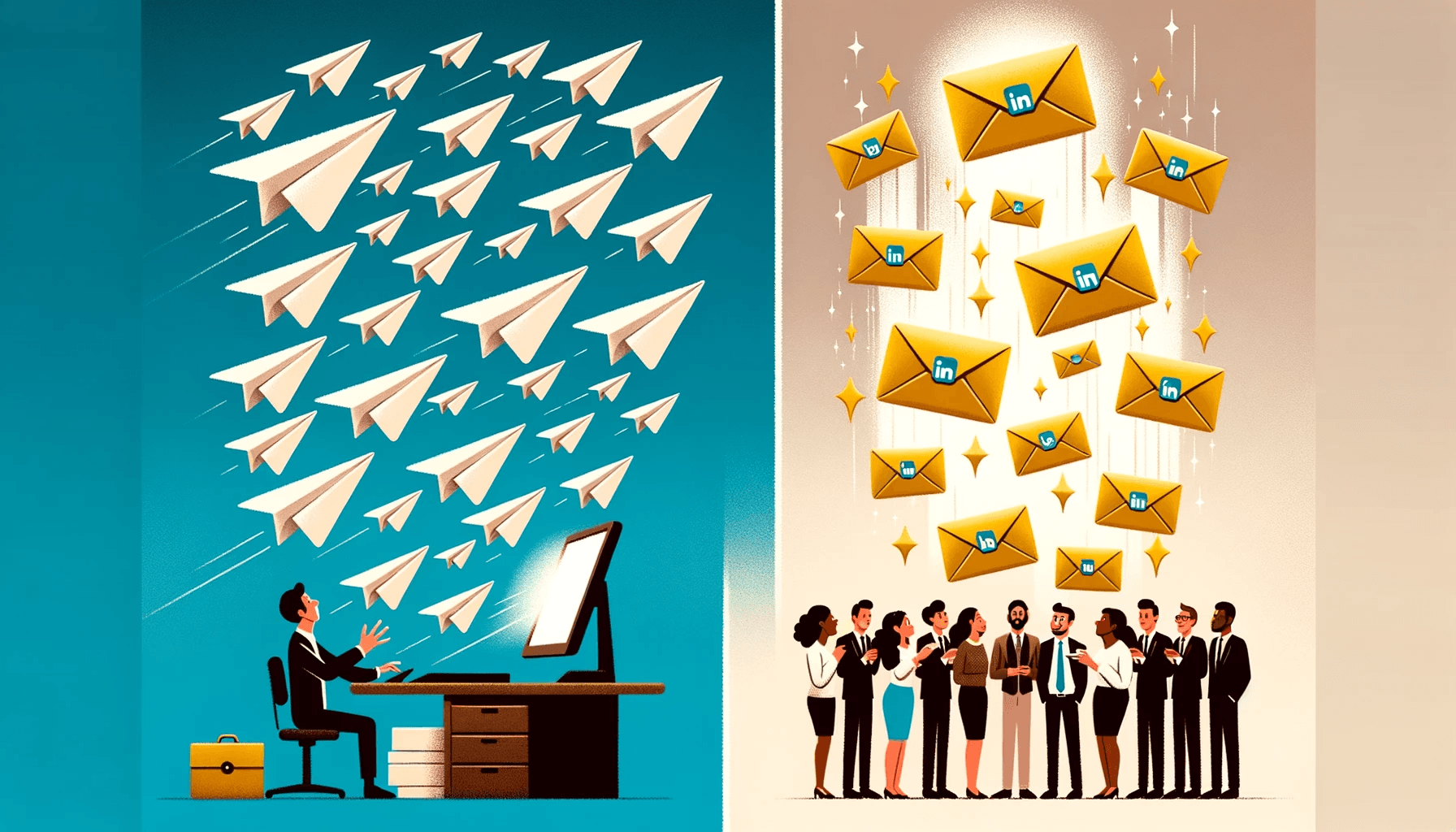
Hook > Value > Low-Friction Close. The best strategy minimises what you ask from the prospect in message #1. Aim for a "yes" to chat, not a "yes" to buy/hire.
LinkedIn outreach is the most important way recruiters approach candidates. But the reality is that most messages get ignored. According to LinkedIn itself, the average InMail response rate sits around 10 to 25 percent, depending on the industry. That means three-quarters of your messages go unanswered.
The difference between recruiters who consistently get good results, and recruiters who stall into silence? Not the number of messages, but the quality of each one. In this guide we cover everything you need to know about effective LinkedIn outreach: from choosing the right channel to personalisation, timing, follow-ups, and the mistakes you absolutely need to avoid.
What exactly is LinkedIn outreach?
LinkedIn outreach is actively approaching professionals on LinkedIn with the goal of starting a conversation. For recruiters, that means: finding candidates, approaching them, and persuading them to be open to a vacancy or an introductory conversation.
There are three main channels within LinkedIn:
- InMails - paid messages you can send to people outside your network. You need a Recruiter or Premium account for these. InMails have a higher open rate than connection requests, but cost credits.
- Connection requests - free requests with an optional message of up to 300 characters. Limited in length, but effective if your message is sharp. LinkedIn applies a limit of roughly 100 connection requests a week.
- Direct messages - messages to existing connections. No length limit, no cost, but you need to be connected first.
The choice between these channels depends on your relationship with the candidate, how urgent the vacancy is, and the credits you have available.
Why most LinkedIn messages fail
Before we get into what does work, it's worth understanding why most outreach doesn't. Research from LinkedIn and various recruitment platforms consistently surfaces the same patterns:
- Generic messages - "I saw your profile and thought you might be interested" isn't personalisation. Candidates spot copy-paste work instantly.
- Messages that are too long - messages over 400 words perform 50 percent worse than messages under 100 words, according to LinkedIn data.
- Straight to the vacancy - the first message should open a conversation, not be a sales pitch. Candidates want to know why they specifically are being approached.
- No follow-up - 44 percent of recruiters stop after a single message. Yet the second or third follow-up is often what makes the difference.
- Bad timing - messages sent on Friday afternoon or over the weekend get considerably fewer replies than messages sent Tuesday to Thursday in the morning.
Did you know? According to research from Lavender.ai, personalised messages of 50 to 125 words get replied to most often. Short, relevant and specific. That's the formula.
Step 1: optimise your profile for outreach
Before you send a single message, every candidate looks at your profile first. That's your first impression, and it determines whether your message gets read or ignored.
- Profile photo - professional, clear, recognisable. Profiles with a good photo get 21 times more profile views.
- Headline - avoid "Recruiter at Company X". Use something that communicates value, for example "I help developers take their next career step".
- Summary - write from the candidate's perspective. What's in it for them if they get in touch with you?
- Activity - share relevant content regularly. Candidates check whether you're active. A quiet profile inspires less trust.
Write a personal message right here
Enter a name or LinkedIn URL and get a personalised message within 30 seconds. No account needed.
Step 2: target the right candidates
Outreach only works if you're approaching the right people. That sounds obvious, but in practice many recruiters cast too wide a net.
Use LinkedIn Recruiter filters to search on job title, location, experience, skills and company size. But go further than a standard Boolean search:
- Check recent activity - candidates who've recently changed jobs, or updated their profile, are more often open to conversations.
- Look for "Open to Work" - LinkedIn shows this to recruiters, even when the candidate has hidden it from their network.
- Analyse skills - don't search on job title alone. Someone with the right skills but a different title can be a better match.
- Use saved searches - save your searches, and get alerts when new candidates match your criteria.
Step 3: write the first message
The first message is everything. You have about three seconds to catch someone's attention. These are the principles proven to work:
Personalise based on the profile
Mention something specific from the candidate's profile. A recent project, a certification, a publication, a shared connection. This shows you've genuinely looked at their profile, and aren't sending messages blindly.
Keep it short
The ideal length for a first InMail is 50 to 125 words. For a connection request you only have 300 characters, so every letter counts. Cut anything that doesn't support your core message.
Ask a question
End with an open question that's easy to answer. Not "Are you interested in this vacancy?" but "Would you be open to a short chat about what you'd like your career to look like over the next few years?"
Avoid corporate jargon
Words like "synergy", "unique opportunity" and "market leader" breed distrust. Write the way you talk. Honest, direct and human.
Example of an effective first message:
"Hi [name], I saw your talk on [topic] at [event]. Impressive how you approached [specific point]. I work with a team facing similar challenges. Would you be up for a chat about what you're doing?"
Step 4: follow-ups that work
Most positive replies don't come from the first message, but from the follow-up. Yet most recruiters stop after a single message. An effective follow-up strategy is the difference between a full pipeline and an empty one.
- Wait 3 to 5 working days - give the candidate time to reply. Following up too fast comes across as pushy.
- Add value - don't repeat your first message. Share a relevant article, a market insight, or give a specific reason for reaching out again.
- A maximum of 2 to 3 follow-ups - after three messages with no reply, it's time to stop. Beyond that, you damage your reputation, and risk being reported as spam.
- Switch channels - if an InMail isn't working, try a connection request. Or the other way round. Sometimes the channel makes the difference.
With automated reminders, you can schedule follow-ups so you never forget a candidate. That keeps you consistent, without having to track it all by hand.
Step 5: personalisation at scale
The big dilemma every recruiter faces: you know personalisation works, but you have 30 candidates to approach every day. How do you combine quality with volume?
The answer isn't choosing between the two, but building a system that supports both:
- Use templates as a starting point, not a finished product - a good template gives you structure. The personalisation sits in the first two sentences and the close.
- Batch your outreach - group candidates by profile or vacancy. That way you only need to adjust your template once per group.
- Use AI to support you - tools such as AI-driven InMail generators can suggest a personalised message based on a candidate's profile. You review it and send it.
The goal isn't to write every message entirely by hand, but to make every message feel personal. AI helps by doing the analysis; you keep the human touch.
Timing and frequency
When you send a message is almost as important as what you write. The data is clear on this:
- Best days - Tuesday, Wednesday and Thursday consistently outperform Monday and Friday.
- Best times - 8:00 to 10:00 and 17:00 to 19:00. Candidates check LinkedIn before and after work.
- Avoid weekends - the response rate on Saturday and Sunday is 30 percent lower on average.
- Factor in the industry - IT professionals reply more often in the evening, while sales professionals reply more often in the morning.
Common mistakes in LinkedIn outreach
After analysing thousands of recruiter messages, these are the mistakes that come up most often:
- Sending the same InMail en masse - LinkedIn picks up on this, and your response rate drops. On top of that, you can lose InMail credits if you send too many messages that go unanswered.
- Not looking at the candidate's profile - if your message doesn't connect to their background, it's immediately obvious you haven't looked.
- Too much focus on the company - the candidate wants to know what the role means for them, not how many employees the company has.
- Spelling and language mistakes - don't underestimate this. A mistake in a short message stands out even more, and undermines your professionalism.
- Automation with no control - fully automating outreach leads to data protection risks, and accounts getting restricted by LinkedIn.
Measuring and improving your LinkedIn outreach
What you don't measure, you can't improve. Track these metrics:
- Acceptance rate - the percentage of connection requests that get accepted. A healthy rate sits above 30 percent.
- InMail response rate - aim for at least 15 to 20 percent. Below 10 percent, it's time to revisit your messages.
- Reply-to-conversation rate - how many replies turn into an actual conversation? This is the metric that really matters.
- Time-to-reply - how quickly do candidates respond? Faster replies point to better messages.
Analyse weekly which messages perform best. Test variations in subject line, length and tone of voice. Small tweaks can have a big impact.
The role of AI in LinkedIn outreach
AI is changing how recruiters do outreach. Not by taking it over, but by speeding up the time-consuming steps:
- Profile analysis - AI reads a candidate's profile and identifies the relevant conversation openers.
- Message generation - based on the profile and the vacancy, AI generates a draft message you can adjust.
- A/B testing - AI can spot patterns in which messages perform better, and suggest improvements.
Tools like Elvatix work directly inside LinkedIn Recruiter, and generate personal InMails and connection requests based on the candidate's profile. You keep full control over what you send, but save an average of 6 hours a week on writing.
In summary
Effective LinkedIn outreach isn't about sending more messages, it's about sending better ones. Personalise every message, keep it short, follow up with value, and measure your results. Use AI as a tool to work faster without sacrificing quality.
The recruiters who make the difference in 2026 aren't the ones working hardest, they're the ones working smartest. And that starts with every individual message you send.
Write a personal message right here
Enter a name or LinkedIn URL and get a personalised message within 30 seconds. No account needed.
Master the low-friction outreach?
Elvatix is trained on millions of data points to generate icebreakers that end on a frictionless, high-converting question.