How Many Connection Requests Can You Send on LinkedIn Per Day?
Find out how many LinkedIn connection requests you can send per day and per week, what happens if you exceed them, and how to stay within the limits.

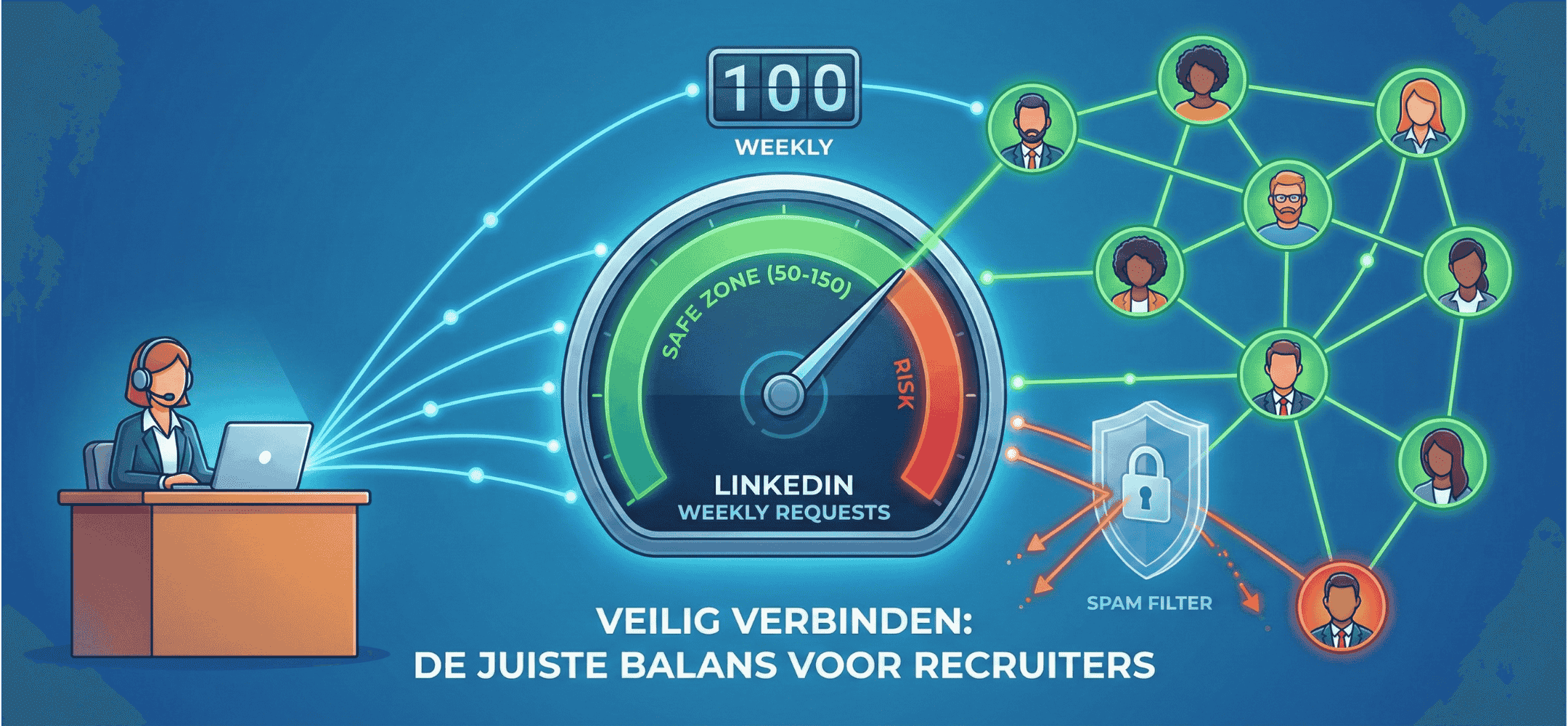
With roughly 100-200 connection requests realistically allowed per week, burning them on weak pitches is fatal. Quality dictates the volume you can use.
LinkedIn enforces strict limits on how many connection requests you can send each day and each week. As a recruiter, knowing these boundaries matters, because going over them can trigger temporary restrictions or even a permanent account ban. This article covers the exact limits, what happens if you exceed them, and how to keep working safely and effectively.
The current LinkedIn connection request limits
LinkedIn never publishes the exact numbers, but extensive testing by the recruitment community has mapped the boundaries clearly:
| Limit type | Number | Details |
|---|---|---|
| Per day | 20-25 requests | A safe ceiling for most accounts. New accounts should start lower. |
| Per week | 100-125 requests | LinkedIn counts on a weekly basis. Going over triggers warnings. |
| Total pending | Around 1,000 | The maximum number of unanswered requests that can sit open at once. |
Important: these limits apply to connection requests, not InMails. InMails run on a separate credit system and follow different rules.
What affects your limit
Not every LinkedIn account gets the same limits. Several factors come into play:
- Account age - new accounts (under a few weeks old) get lower limits. LinkedIn wants proof you're a real person first.
- SSI score - your Social Selling Index measures how actively and effectively you use LinkedIn. A higher SSI (above 70) buys you more room to manoeuvre.
- Acceptance rate - if most of your requests get accepted, LinkedIn trusts you more. A rate below 20% is a warning sign.
- Premium or Recruiter account - paid accounts get a bit more headroom, but the limits aren't dramatically different.
- Network size - accounts with more than 500 connections typically get higher limits than accounts with a small network.
What happens if you exceed the limit?
LinkedIn applies a tiered penalty system:
- Warning - you get a notice that you've sent too many requests. The feature gets switched off temporarily (usually 24 hours).
- Temporary restriction - repeated breaches get your account restricted for 3 to 14 days. You can't send connection requests, and possibly not messages either.
- ID verification - LinkedIn may ask you to verify your identity before restoring your account.
- Permanent ban - in extreme cases (particularly when automation tools are involved), your account can be closed for good.
Losing your LinkedIn account as a recruiter is a serious blow. Every connection, every conversation history, every candidate relationship, gone.
A safe daily routine for recruiters
Consistency beats volume. Here's an approach that works:
New accounts (first 2 weeks)
- Start with a maximum of 5-10 requests per day
- Build up gradually over 2-3 weeks
- Focus on quality: only send requests to relevant profiles
- Always add a personal note to your request
Established accounts
- Maximum 20-25 requests per day, spread across the day
- No more than 100 per week in total
- Keep your acceptance rate above 30%
- Pause if you notice a lot of requests going unanswered
The 25-20-15 rule: a maximum of 25 connection requests per day, a minimum 20% acceptance rate, and at least 15 seconds between actions. Recruiters who follow this rule report 87% fewer account restrictions.
Connection request with or without a note?
LinkedIn lets you add an optional note to a connection request, capped at 300 characters. The question is whether you should use that space.
- With a note - personalised requests get accepted 55% more often than blank ones. Give a specific reason for wanting to connect.
- Without a note - some recruiters report higher acceptance rates without one, because it feels less like a sales pitch. This works best with 2nd-degree connections who share mutual contacts.
Our advice: always personalise. 300 characters isn't much, but it's enough to state a relevant reason. Tools like AI-driven connection request generators help you pack a sharp, personal note into that space.
InMails vs. connection requests
As a recruiter, you have two channels for reaching candidates outside your network. Here's how they compare:
| Feature | Connection request | InMail |
|---|---|---|
| Cost | Free | Credits (depends on plan) |
| Message length | 300 characters | No limit |
| Daily limit | 20-25 | Depends on credits (Recruiter: ~150/month) |
| Open rate | N/A (appears as a notification) | 45-55% |
| Response | Acceptance: 30-50% with personalisation | 10-25% on average |
| Best for | Building your network, first contact | Direct approach, detailed pitch |
The most effective strategy combines both: start with a connection request, then send a personal follow-up message once it's accepted. If the request goes unanswered, try an InMail instead.
How do you raise your acceptance rate?
A higher acceptance rate means fewer wasted requests and more headroom within the limits:
- Optimise your profile - candidates check your profile before accepting. A professional photo, a clear headline and an active profile all make a difference.
- Personalise every request - mention something specific: a mutual connection, a recent post they shared, or a concrete topic.
- Target precisely - only send requests to people who are genuinely relevant. Broad, scattergun requests lead to low acceptance.
- Stay active on LinkedIn - share content, comment on posts, stay visible. People are more likely to accept requests from active profiles.
- Timing - send requests Tuesday to Thursday, ideally between 8am and 10am or 5pm and 7pm.
Automation and the limits
Using automation tools to send connection requests is tempting, but risky. LinkedIn is getting better at spotting automated behaviour:
- Browser extensions carry a 60% higher detection risk than cloud-based tools
- Accounts without safety protocols run a 23% chance of restriction
- 97% of fake accounts get blocked proactively
The safer alternative: use AI-driven tools that help you write better messages, while you send every request yourself. That keeps you within the limits and in control of your account.
In summary
LinkedIn allows a maximum of 20-25 connection requests per day and 100-125 per week. Go over that and you're looking at temporary restrictions, or worse. The key is quality over quantity: personalise every request, keep your acceptance rate high, and use AI to write better messages faster, without ever pushing past the limits.
Maximise every single connection request?
Don't risk the LinkedIn Jail penalty box. Use Elvatix to make sure every invite carries weight, context and the highest chance of acceptance.